Searching for Clips
After analysis identifies B-Roll moments, the app searches YouTube for matching clips. You can trigger this from the Results dashboard using Search All, or let Auto-Analyze handle it automatically. B-Roll Me handles the search, transcript fetching, and keyword matching for you. YouTube search works identically in both Credits and BYOK modes — no API key is needed for search.
How Search Works
For each moment, B-Roll Me uses the search queries generated during analysis. Here's what happens when you click Search on a moment card:
- 1 YouTube Search — Each suggestion's search queries are sent to YouTube. The app uses the InnerTube protocol directly, so no YouTube API key is required.
- 2 Deduplication — Results from multiple queries are merged, removing duplicate videos.
- 3 Transcript Fetching — For each result, B-Roll Me fetches the video's transcript (captions). It prefers manual English captions over auto-generated ones, and falls back to the first available track.
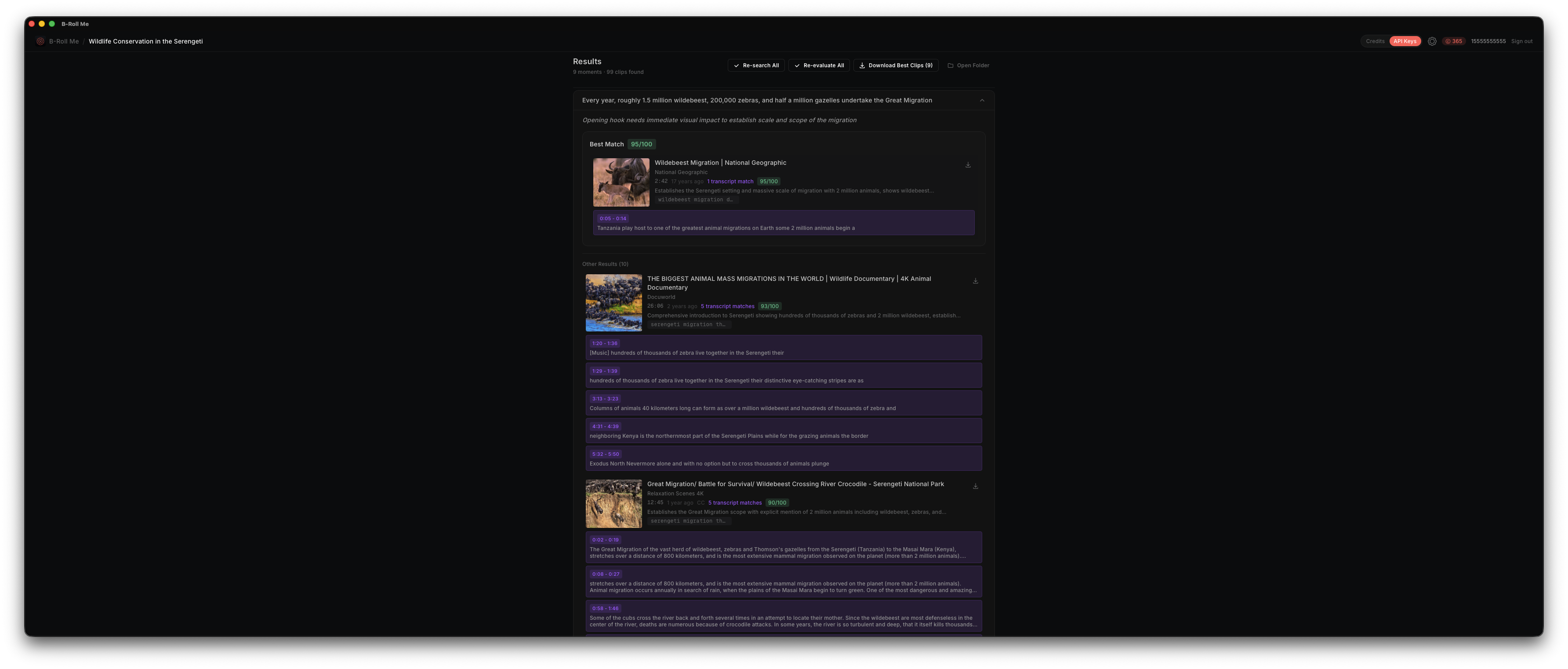
- 4 Keyword Matching — The transcript is searched for keywords related to your script context. Matching segments are highlighted with timestamps, showing exactly where in the video the relevant content appears.
Custom Searches
You can also add your own search queries for any moment. Each moment card has a search input where you can type a custom query and press Enter or click the search button. Results from custom searches are added alongside the AI-generated results.
Search All
The Search All button runs searches for every moment at once, processing them sequentially to avoid overwhelming YouTube. This is useful after a fresh analysis when you want to populate all moments with results.
Understanding Results
Each search result shows:
- • Thumbnail — Video thumbnail from YouTube
- • Title and Channel — Video title and the channel that uploaded it
- • Duration — Total video length
- • Transcript Matches — Number of keyword matches found in the transcript, if any
Transcript Caching
Transcripts are cached locally after the first fetch. If you search for the same video across different moments, the transcript won't need to be re-fetched. Note that the cache does not expire — if a video's captions change, B-Roll Me will use the cached version.